Understand the service
Explore connected context, your decision points and what to check when starting in your Android environment.
Explore the product ↗Android Bot · Personal agent service
Coordinate plans and travel time. Turn a conversation into a calendar entry. Prepare choices around your preferences. Android Bot brings together Android app context and information you allow to handle requests that take more than one step.
Explore the use cases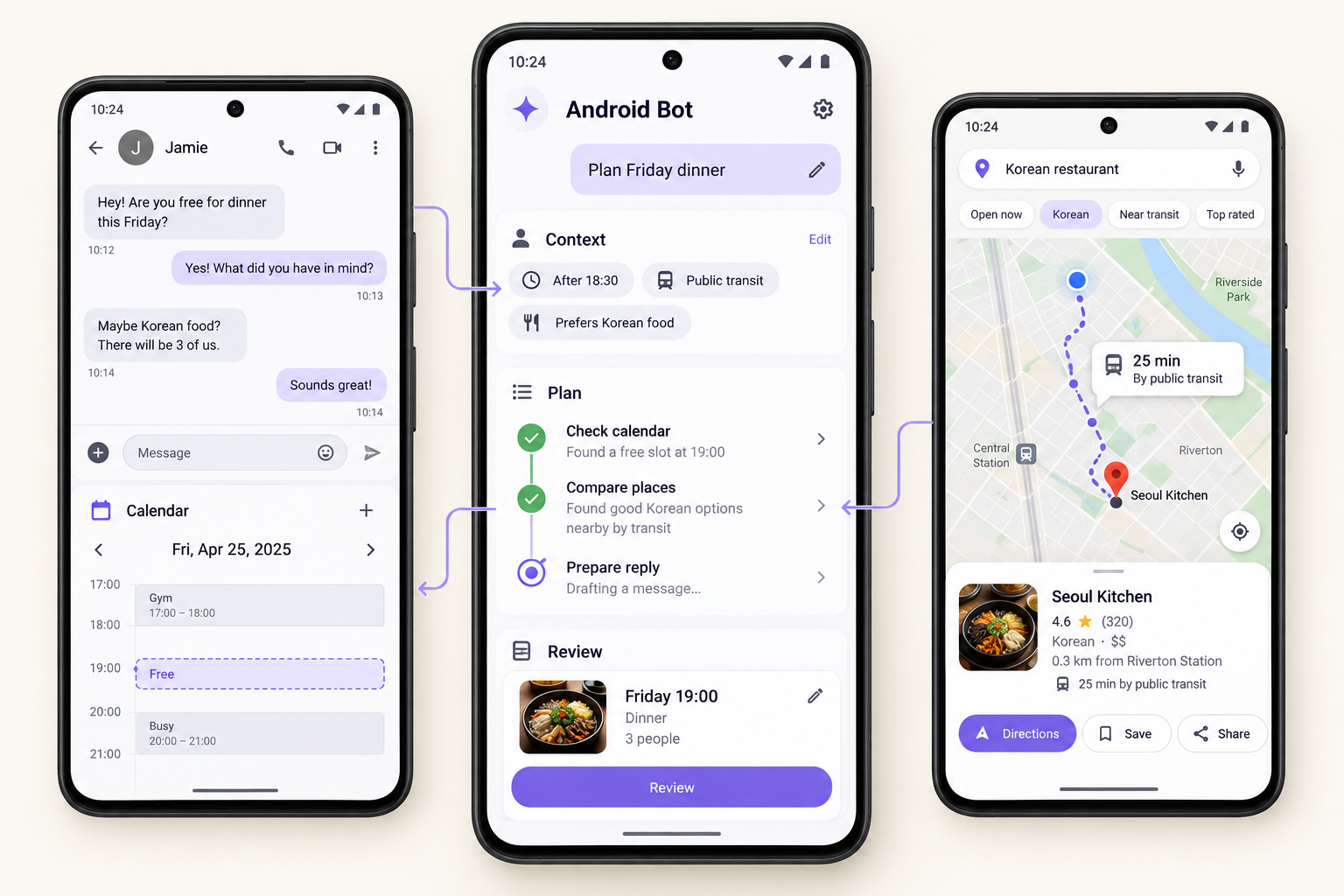
Explore Android Bot
Explore connected context, your decision points and what to check when starting in your Android environment.
Explore the product ↗Tell us the request, conditions and Android environment you have in mind. Your consultation is delivered to the company email.
Consultation ↗Connect through our talent pool if you care about Android, AI agents or product experience.
Explore the talent pool ↗01 / Everyday possibilities
Instead of opening each app and moving details between them, describe what you want to do and the conditions that matter. Android Bot connects the context and checks the choices with you.
Explore six illustrative journeys from a personal request to a connected outcome.
“Arrange dinner with friends after work on Friday. Please consider my schedule, the food I like and everyone’s travel time.”
Information you allow: Friday’s schedule, your work location, food preferences and the conversation with your friends.
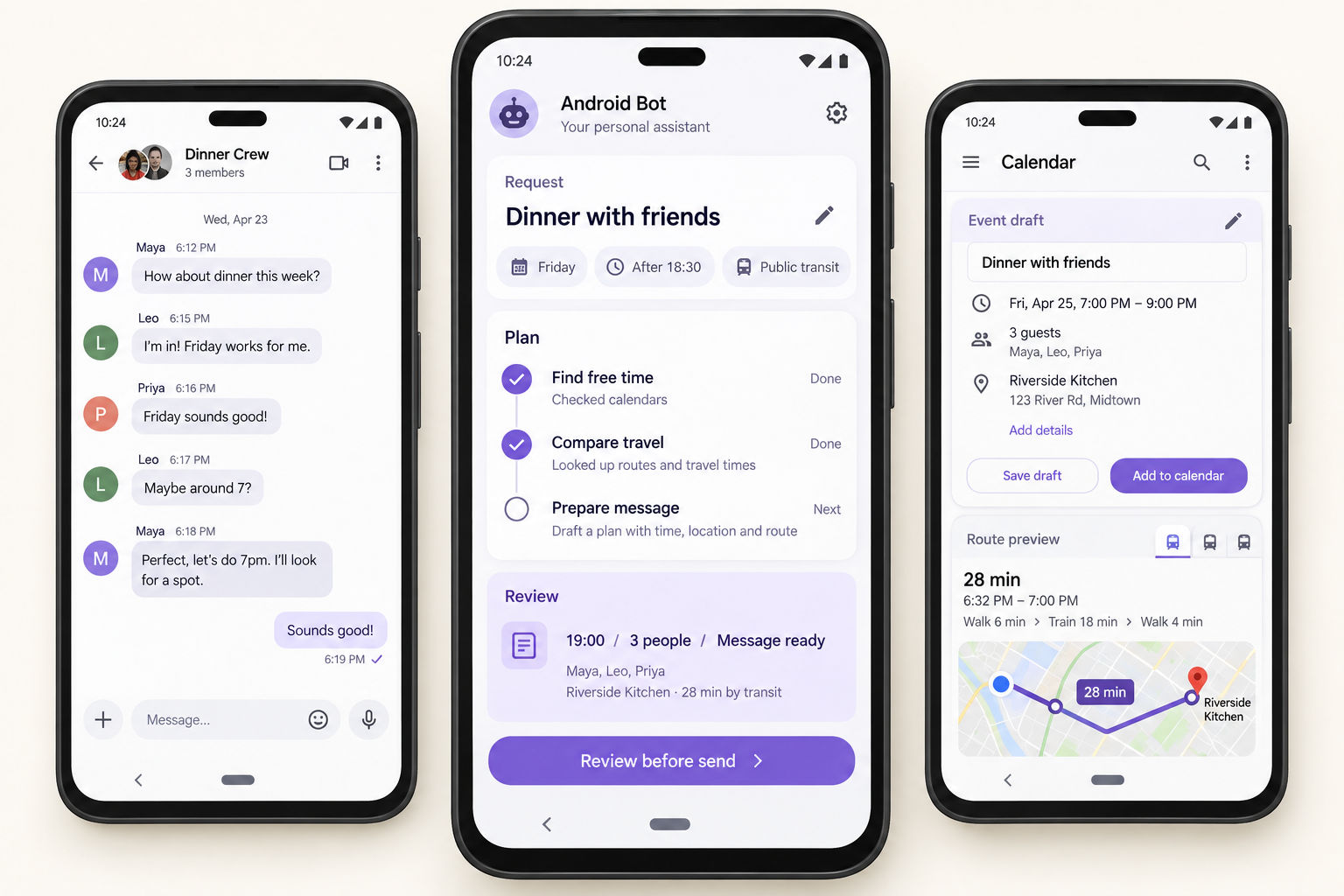
Review the place, time and recipients before approving the calendar entry and message.
Example result · Review before action
02 / Your personal context
The same trip does not call for the same plan for everyone. Dates, budget, preferences and the choices you have already made help define what to look for, before the next step begins.
You decide which information to share and use.
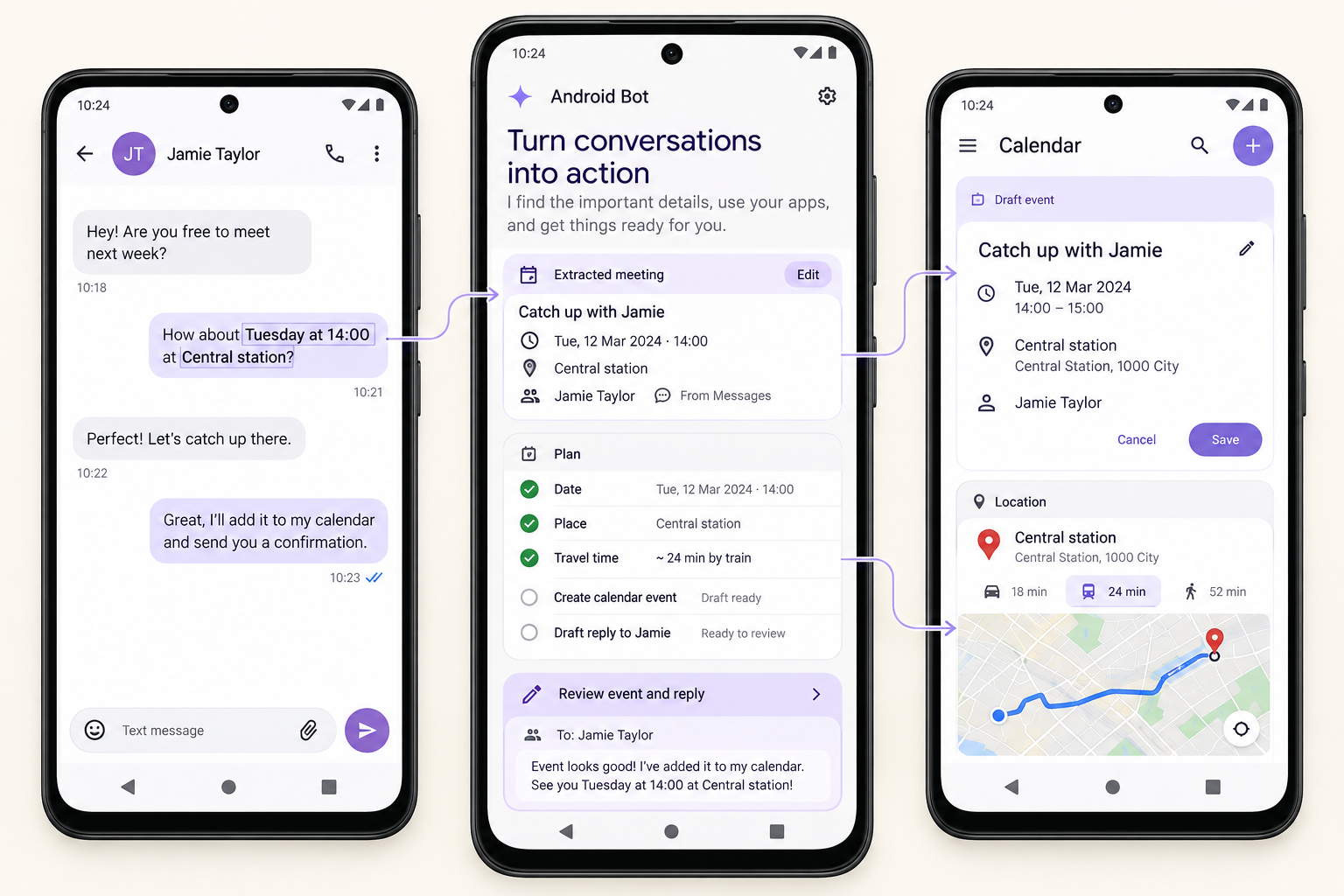
One request, across apps
Move a meeting from messages into your calendar, check its location on a map and prepare your reply. Android Bot connects those steps around the task you asked for, rather than treating each screen in isolation.
A conversation that continues
“Go with the second option we looked at.” Conditions and choices you confirmed earlier become the starting point for the next conversation. Ask for a change, review a detail and continue the same task.
The information source, confirmed conditions, options and your decisions
Changed conditions, current progress and decisions still open
03 / How it works
A complex request needs a connected process. Questions, actions inside apps and a review of what changed belong in the same flow.
Identify what you want to achieve and the conditions that matter.
Bring allowed app context and relevant user information into the task.
Ask about missing details and confirm meaningful decisions with you.
Follow the agreed plan and check the points that need your approval.
Check what changed and determine the next step or whether the task is complete.
04 / Your information & control
When your information is involved, you should understand what is shared and how far a task will go. Meaningful actions include a moment for review and confirmation.
Start with the context the request needs. Choose which schedule, preferences or conversations you share.
Tasks use connected apps and the access you allow. If information is unavailable, the next approach needs to be clarified.
Review the content and recipients before actions such as sending a message or adding an event. Complete payment yourself.
Bring the request, steps taken and results to review together. Distinguish completed work from open choices and revise conditions as needed.
Available tasks vary by app and screen. The examples do not mean every step is automatically supported in every app.
05 / AI Agent
AI Agent is the English brand of 에이아이 에이전트, a registered business in South Korea founded by Yunsung Song. We develop Android Bot, our own personal agent product for Android. This website and hello@android-bot.com are operated by the same business.
Android Bot connects a user's request with relevant app screens, permitted information and user context. The product brings task planning, clarification, actions within apps and review of the result into one flow.
We currently use Claude Code and Codex for product development. Claude API integration for Android Bot and website support is planned. Product development and use-case evaluation are ongoing; available service scope can be discussed through our consultation form.
06 / Frequently asked questions
Android Bot goes beyond a conversational answer by connecting current app context with information you allow and the steps of a task. Questions, decisions, actions inside apps and review form one connected flow.
Information relevant to the request that you share or allow it to use. Your schedule, preferences and earlier decisions are examples. A task does not automatically require all of your personal information.
A missing condition or a choice between several options calls for your judgment. Actions that affect other people or plans, such as sending a message, should give you a chance to review the content and destination.
It can help prepare a decision by comparing options and organising plans or order details. You personally complete booking confirmation and payment.
Available tasks depend on the app screen, connection and allowed access. We do not guarantee a particular integration or automatic support for every app. The use cases are illustrations of the experience.
This website is available in Korean and English. Use the language menu at the top to switch. Product language availability will be described separately in service information.
Let’s talk
From everyday personal requests to repeat tasks in a small shop, we’d like to hear how you would use Android Bot. Email us with service questions or collaboration ideas.
Get in touchhello@android-bot.com